Showing posts with label lessons. Show all posts

Monday, January 20, 2020

Lesson 14

Final Vocabulary Quiz
You took your quiz and took a survey.


Essay Final Draft
After you receive my feedback on your first draft, make revisions, export to Microsoft Word and submit to Turnitin on Blackboard.

1. Make a copy of your essay in Google Docs.
  1. Open your essay draft in Google Docs.
  2. From the file menu, pull down to "Make a copy".
  3. In the dialog box, delete "Copy of" and change "First Draft" to "Final Draft". (ex. Keiko Sato's RW2 Essay Final Draft). 
  4. Share it with me.
2. Revise your essay based on my feedback.

3. Export your Google Doc to Microsoft Word.

4. Submit the Google Doc to Turnitin on Blackboard.

Due 1/27 21:59.


MReader
You have until one week from today (1/27) to complete your Extensive Reading. Take quizzes on MReader until then. 

Monday, January 6, 2020

Lesson 13 – Essay First Draft

Essay Introductions

You were supposed to have finished your introduction para

Essay First Draft
You will build on your essay introduction paragraph using your outline and write a full essay. After I have given you feedback on your introduction paragraph, write the rest of your essay.

Look at your handouts for instructions about writing the body paragraphs (p. 205) and conclusion paragraph (pp. 206-208). Also, look at today's handout for information about transitions between paragraphs (pp. 209-212).
  1. Log in to Google Drive.
  2. Create a new file in Google Docs.
  3. Give it the title your name + RW2 + Essay First Draft (ex., Junko Saito RW2 Essay First Draft).
  4. Share it with me at my Rikkyo email address.
  5. Due 1/12 21:59.

Use Becoming a Better Writer to help you.
Becoming a Better Writer


Extensive Reading
Continue reading and taking quizzes toward your goal of 60,000 words in MReader.


EWr
Bring your notebooks to class next lesson. If you forget your notebook, you will have to arrange a meeting with me.


Quizlet
Study the for the final vocabulary quiz (NAWL Sets 1-4).

Monday, December 9, 2019

Lesson 11 – Paragraph Revisions and Extra Practice

Quizlet

We took another quiz on the NAWL 1-3 set. Next week, there will be another quiz on this set with a time limit. I recommend using the Test task on Quizlet. Take the test several times to prepare.

RF
We did with Reading Fluency (RF) practice again with Banned Books. Update your RF Log on Google Sheets.

EWr
We did Extensive Writing (EWr) again. The topic this time was A healthy lifestyle. How many words could you write? Could you reach your best score? Update your EWr Log on Google Sheets.


Peer Review
Read your partner's L10 homework and give feedback for formatting AND content including any mistakes you might find.
Due 12/11 21:59.


Revise
After you receive feedback from your partner, revise any mistakes.
Due 12/13 21:59.


Homework
Write a paragraph about Healthy Lifestyle Advice in a Google Doc. Your paragraph should have a good topic and concluding sentence and several good supporting sentences. You can use the ideas you wrote in your EWr notebook. Add more examples and check your formatting and organization.
  1. Log in to Google Drive.
  2. Create a new file in Google Docs.
  3. Give it the title your name + RW2 + L11 (ex., Junko Saito RW2 L11).
  4. Share it with me at my Rikkyo email address.
  5. Due 12/14 21:59.

I have made a checklist for you to check your progress in this class. You can download it here.

Monday, December 2, 2019

Lesson 10 – Writing Paragraphs (continued)

Quizlet

We took a quiz on the NAWL 1-3 set. Next week, there will be another quiz on this set with a time limit. I recommend using the Test task on Quizlet. Take the test several times to prepare.

RF
We did with Reading Fluency (RF) practice again with Copyright Laws. Update your RF Log on Google Sheets.

EWr
We did Extensive Writing (EWr) again. The topic this time was What I like and don't like about Winter. How many words could you write? Could you reach your best score? Update your EWr Log on Google Sheets.


Writing Paragraphs
I gave you more handouts. Fill them in.


Homework
Write a paragraph about Winter in a Google Doc. Be sure to choose a focus because Winter is too big of a topic. Your paragraph should have a good topic and concluding sentence and several good supporting sentences. 
  1. Log in to Google Drive.
  2. Create a new file in Google Docs.
  3. Give it the title your name + RW2 + L10 (ex., Junko Saito RW2 L10).
  4. Share it with me at my Rikkyo email address.
  5. Due 12/7 21:59.

Blog
Write comments on three of your classmates' blog posts. Choose the person 3 above you on the class list. Then, choose two more classmates' posts to comment on. Due 12/8 21:59.

Monday, November 25, 2019

Lesson 9 – Writing Paragraphs

RF
We did with Reading Fluency (RF) practice again with Bi and You. Update your RF Log on Google Sheets.

EWr
We did Extensive Writing (EWr) again. The topic this time was my favorite music artist. How many words could you write? Could you reach your best score? Update your EWr Log on Google Sheets.


Writing Paragraphs
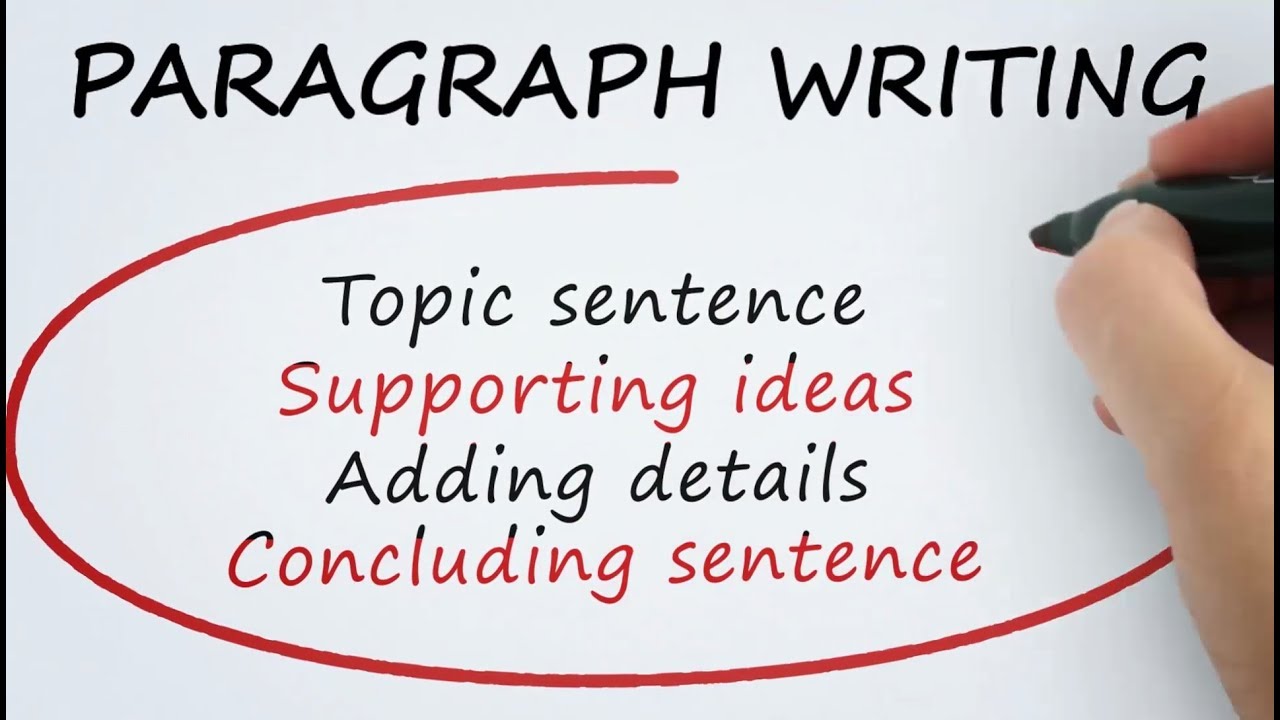
We learned about writing paragraphs. Writing good paragraphs is foundational to writing essays and other academic writing.

In the handout, we learned about the parts of a paragraph, and then about topic sentences and supporting sentences. 

For next week, finish the handout (topic sentences, writing supporting sentences). 


If you were absent, you can download the handouts by clicking on the link below.
RW2 Lesson 9 Handout


Quizlet

We took a quiz on the NAWL 3 set. Next week, there will be a paper quiz on the NAWL 1-3 set with a time limit. I recommend using the Test took on Quizlet. Take the test several times to prepare.

Homework
Follow the instructions on the handouts. Follow the steps below for the task on p. 3 (2~3) and the final task (3~5) on page 4. 
  1. Log in to Google Drive.
  2. Create a new file in Google Docs.
  3. Give it the title your name + RW2 + L09 (ex., Junko Saito RW2 L09).
  4. Share it with me at my Rikkyo email address.
  5. Due 11/30 21:59.

Blog
Write a new blog post. The topic is My favorite music artist. Due 12/1 21:59.

Monday, November 18, 2019

Lesson 8 – Getting Ready to Write

RF
We began again with Reading Fluency (RF) practice. Update your RF Log on Google Sheets.


EWr
We did Extensive Writing (EWr) again. How many words could you write? Could you reach your best score? Update your EWr Log on Google Sheets.


Getting Ready to Write
We learned about preparing for writing. Follow the instructions on the handouts. Follow the steps below for the final task on page 4. 
  1. Log in to Google Drive.
  2. Create a new file in Google Docs.
  3. Give it the title your name + RW2 + L08 (ex., Junko Saito RW2 L08).
  4. Share it with me at my Rikkyo email address.
  5. Due 11/23 21:59.


Blog Comments

From the list of student blogs on the right side of this blog, find the student who is one above you on the list and go to their blog. Read their blog post and leave a comment.
Due 11/24 23:59

If you haven't written your Typhoon Memory blog post, do it today.
Quizlet
Whenever you have free time in class or free time outside of class (e.g., waiting for a train or bus), study vocabulary.

Next week we will have a quiz on the NAWL 3 set. Study. If you got less than 85% on previous quizzes, you should study those sets also.


ER (graded readers)
Another way to use your free time is to read graded readers. Don't forget to take the quiz on MReader when you finish a book to get credit.

Monday, November 11, 2019

Lesson 7 – Formatting

RF
We began again with Reading Fluency (RF) practice. Update your RF Log on Google Sheets.


EWr
You did Extensive Writing (EWr) again. How many words could you write? Could you reach your best score? Update your EWr Log on Google Sheets.


Quizlet
You took the NAWL 1 Test again. If your score was less than 85%, you should study the set more.

Next week's quiz will be on the NAWL 2 set.

Document Formatting
We are using the steps in Chapter 2 of Becoming a Better Writer on formatting. Follow these steps to create your document.
  1. Log in to Google Drive.
  2. Open your your RW2 L06 file from Lesson 6.
  3. Share your document with your partner.
  4. Follow the formatting steps in Chapter 2.
  5. Due 11/11 23:59.

Peer Review
Read your partner's L06 homework and give feedback for formatting AND content including any mistakes you might find.
Due 11/15 21:59.

Revise
After you receive feedback from your partner, revise any mistakes.
Due 11/17 21:59.

Monday, October 28, 2019

Lesson 6 – Getting Ready to Write

RF
We began again with Reading Fluency (RF) practice with Reading Reading 19: The Terracotta Army. Update your RF Log on Google Sheets.


EWr
We did Extensive Writing (EWr) again. How many words could you write? Could you reach your best score? Update your EWr Log on Google Sheets.


Writing Paragraphs
Follow the steps below. 
  1. Log in to Google Drive.
  2. Create a new file in Google Docs.
  3. Give it the title your name + RW2 + L06 (ex., Junko Saito RW2 L06).
  4. Share it with me at my Rikkyo email address.
  5. Write 2-3 paragraphs about a school festival
  6. Due 11/3 23:59.

Quizlet
You took the NAWL 1 test. Study this set again for the next lesson.

Whenever you have free time in class or free time outside of class (e.g., waiting for a train or bus), study vocabulary.


ER (graded readers)
Another way to use your free time is to read graded readers. Don't forget to take the quiz on MReader when you finish a book to get credit.

Monday, October 21, 2019

Lesson 5 – Extensive Writing (EWr)

RF
We began again with Reading Fluency (RF) practice with Reading 17. Update your RF Log on Google Sheets.


EWr
We tried Extensive Writing (EWr) for the first time. How many words could you write? Update your EWr Log.


Quizlet
After entering your scores into your RF Log and EWr Log, you spent some time studying vocabulary on Quizlet

Whenever you have free time in class or free time outside of class (e.g., waiting for a train or bus), study vocabulary.

Next week there will be a quiz on the NAWL 1 set.


Blog Comments

From the list of student blogs on the right side of this blog, find the student who is one below you on the list and go to their blog. Read their blog post and leave a comment.


ER (graded readers)
Another way to use your free time is to read graded readers. Don't forget to take the quiz on MReader when you finish a book to get credit.

Remember, the total you need to read this semester is 60,000 words. You should be almost 1/3 finished by now.


Quiz
We took a quiz on plagiarism. Next week we will have a quiz on the first NAWL set on Quizlet. Be sure to study.


Homework
The homework for Lesson 5 is to write comments on three more classmates' blog posts. You can choose which posts to comment on.
Due 10/27 23:59


The homework for Lesson 4 when I was absent is the following. You need to complete it for attendance credit on 10/14:

  • Use the stopwatch on your smartphone and do Reading 18. Answer the questions without looking back. You can look back after you finish, but DO NOT change your answers. We will check our answers in class.
  • Use the timer on your smartphone and write for another 10 minutes in your EWr notebook. Before you begin, choose a topic and think about it for a minute. Count the number of words and update your EWr Log.
  • Write another blog post. Write again about a Typhoon Memory. This time, you will be careful with your spelling in grammar. Use one of your photos or an image from the internet to go with your post.

Due 10/27 23:59

Monday, October 7, 2019

Lesson 3 – Student Blogs

RF
We began again with Reading Fluency (RF) practice with Reading 16: Castles. Could you reduce your reading time? 


Quizlet
After your enter your scores in your logs, immediately go to Quizlet and study from the NAWL list on our class page. You can do this on your smartphone or your computer, whichever is convenient for you.


Blog Set Up
Set up your blog for our class, follow these steps:
  1. Log in to Blogger . Use your Google Drive login and password.
  2. Click on the New Blog button at the top left of the page.
  3. In the Title cell, write, "(your full name's) RW2 Blog" (ex. Keiko Sato's RW2 Blog).
  4. In the Address cell, write, "(your full name without spaces) + RW2" (ex. KeikoSatoRW2).
  5. Choose a Template from the Simple group. Don't worry, you can change the template at any time.
  6. Click on Create Blog. This should take you to your Blogger Dashboard.
  7. Follow the steps below (from step 2) to send me the link to your blog.


Submit Blog Link
Everyone should send me the link to your blog. Follow these steps:
  1. Go to Blogger and log in. This should take you to your Blogger Dashboard.
  2. Click on the View Blog button.
  3. Copy the URL to your blog.
  4. Send it to me by email with "RW2" as your email subject.

Extensive Reading (ER)
You must read 60,000 words by the end of the semester. Be sure to take a quiz soon after you finish a book.


Homework
  • Write a blog post introducing yourself to your classmates. Give it the title, My Personal Introduction. Include information about your family or friends, your hometown, and your interests/hobbies. Include at least one photograph. Due 10/15 23:59.
  • Read and study The English Language Program Policy for Plagiarism and Cheating on p. 1 of Becoming a Better Writer. There will be a quiz next week.
  • Study on Quizlet.
  • Read from your graded reader.

Monday, September 30, 2019

Lesson 2 – Reading Fluency (RF) & Extensive Reading (ER)

RF
We began with Reading Fluency (RF) practice. Each time you will read a passage for speed and mark your results. You should see your time drop over the term.


RF Log
Follow the steps to set up your Reading Fluency (RF) Log:

We will use Google Sheets (spreadsheet) to keep track of our progress in extensive writing (EWr). This makes it easy me to follow your progress. It also makes it easy for you to see your own progress. You can generate a line graph from the spreadsheet.

Follow the steps:
  1. Sign in / log in to Google Drive with your Rikkyo email address.
  2. Click on NEW.
  3. Choose GOOGLE SHEETS
  4. In the top left box, give your spreadsheet the title: full name + RW2 + RF Log (e.g., Taro Suzuki RW2 RF Log)
  5. In the top right corner, click on SHARE.
  6. Share it with me. Use my Rikkyo email address.
  7. In the A column, write the date of your first RF reading.
  8. In the B column, write the time of your first RF reading.
  9. In the C column, write the number of correct answers.
  10. Repeat for each time.
Enter in your RF score every week.


Quizlet
We practiced vocabulary using Quizlet.


EWr
We will try Extensive Writing (EWr) next week. This is a way to improve our writing fluency.


EWr Log
We will use Google Sheets (spreadsheet) to keep track of our progress in extensive writing (EWr). This makes it easy me to follow your progress. It also makes it easy for you to see your own progress. You can generate a line graph from the spreadsheet.

Follow the steps:
  1. Sign in / log in to Google Drive.
  2. Click on NEW.
  3. Choose GOOGLE SHEETS
  4. In the top left box, give your spreadsheet the title: full name + RW2 + EWr Log (e.g., Taro Suzuki RW2 EWr Log)
  5. In the top right corner, click on SHARE.

We will begin to use this log next week.

Due 10/4 23:59.


Next Week

We will begin practicing writing for fluency. Bring your B5 notebook (see the Lesson 01 post) to class.

Bring your graded reader.

Bring a computer.


Extensive Reading (ER)
We registered for M Reader. You must take and pass quizzes to get credit for your reading.

M Reader Log In

Use the code: lwOPm0Gj (copy & paste)
For your username, write GTB-your first name (eg., GTB-Taro)

To log in, you must time rikkyo- before your username (eg., 

Some information about M Reader:
  • Be sure that the quiz you choose in M Reader is for the version from the same publisher as the version you read.
  • You must get 6/10 to pass quiz.
  • You cannot take the quiz again for that book if you fail (unless you ask me)
  • You can only take one quiz every 96 hours (4 days), so don't wait until the last week to begin taking quizzes.

Monday, September 23, 2019

Lesson 1 – Orientation


Introductions
In our first lesson, I introduced myself with a slide presentation. You also introduced yourselves by filling in a form online.


Quizlet
Vocabulary is perhaps the most important part of learning a language. We will use the flashcard website/app called Quizlet to help us study. Click on the link below to join our class.

Quizlet Class Join Link

Download the Quizlet app from your smartphone's app store and log in using the same username and password you used today.

Next week I will tell you how to choose the right level on Quizlet.


Vocabulary Levels Test
These tests will help me to know more about your vocabulary. They will also help you to learn about your own level.


Orientation
We also looked at the syllabus for this semester.

I am looking forward to our classes together this Fall!


Next Week
  1. Buy and bring a B5 Notebook (not spiral).
  2. Write your full name in English on the front
  3. Write "Reading & Writing 2" under your name
  4. Write "Daniel Beck" below that.
  5. Bring a graded reader to class.
  6. Bring a computer to class.